Silver Pines: How to Try DirectX 11
How to try the publisher’s DirectX 11 launch option, compare performance, and distinguish it from separately reported Deck startup and mouse / menu problems.
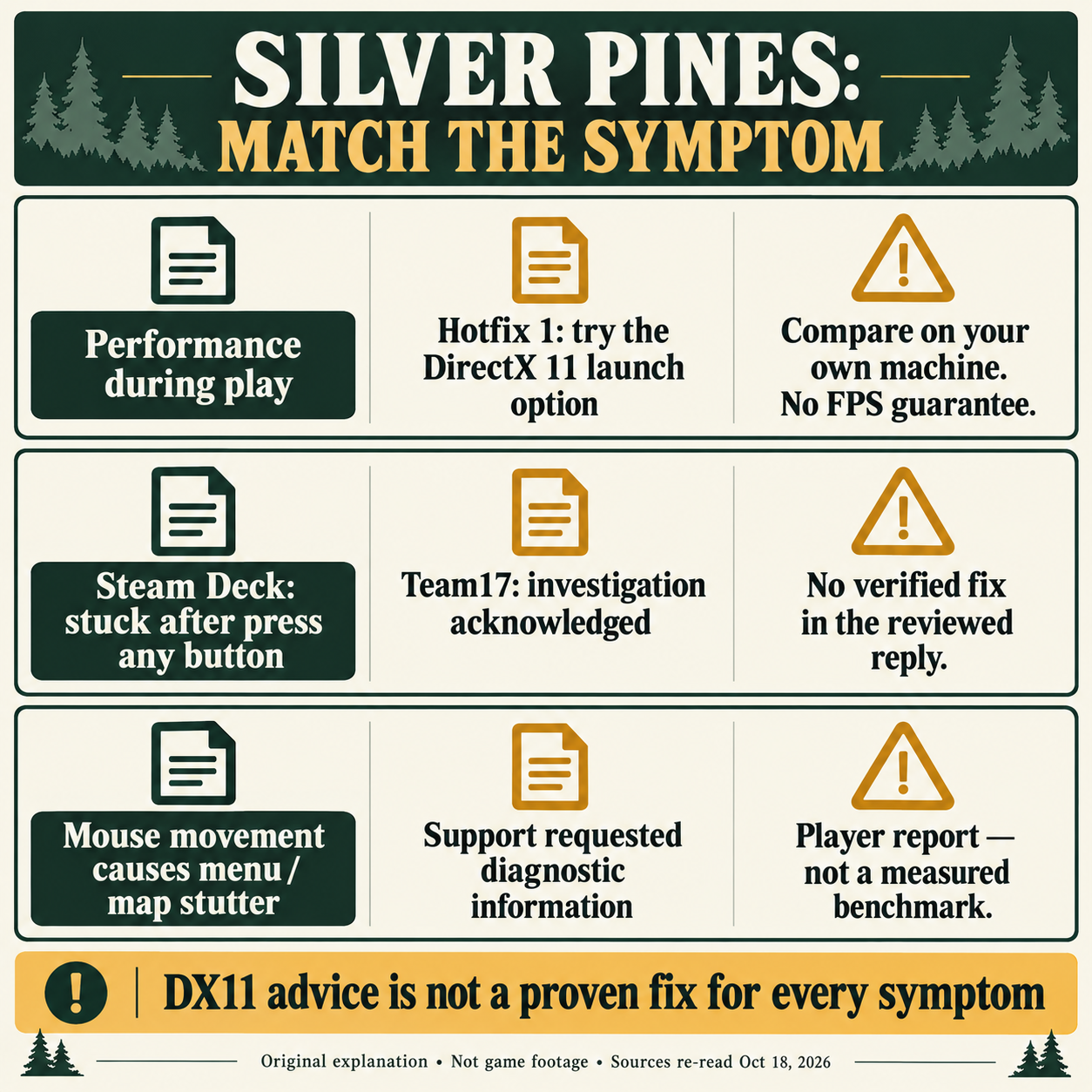
Answer: Try the DirectX 11 option offered when launching Silver Pines, as recommended in Hotfix 1 for performance problems. Compare it on your own device; no FPS gain is guaranteed. Separate Deck startup and mouse/menu reports have no confirmed fix in the support replies reviewed on 18 October.
What the 9 October 2026 hotfix adds
The Silver Pines Hotfix 1 news post (posted 9 October 2026) says the Steam Windows launcher now offers a DirectX 11 option at launch. The post recommends players try this option when they hit a performance problem, with a specific note for players running the game on Steam Deck. The same hotfix also fixes a number of softlock situations and the case where enemies can block the elevator inside the Union Apartments.
The recommendation to try DirectX 11 is the publisher's suggestion; this article does not claim that switching the launcher guarantees a smoother frame rate on every machine, nor that the option resolves every softlock. It is the documented suggestion for the symptom the publisher lists.
How to reach the DirectX 11 launch option
The launch option when you boot the game is the path mentioned in the patch notes. The suggested order is a preparation checklist followed by the option the post describes:
- Make sure Steam has pulled the latest Silver Pines update for the client you own.
- Launch the game from Steam on Windows.
- In the launcher, choose DirectX 11 when the launch option is offered.
Updating and relaunching are preparation advice; the source explicitly documents the DirectX 11 launch option. The patch notes do not specify any command-line flag, console toggle or in-game graphics menu to switch renderers after launch. We have not independently screenshotted the launcher, and the article does not provide one — the source prompt is the direct instruction. The post supplies no documented command-line switch or registry change.
Compare your own before / after
Switching renderers is a personal-environment test. A useful comparison is:
- Note your rough frame rate, hitching pattern or stutter location with the default launcher option for a few minutes of normal play.
- Quit, relaunch and pick DirectX 11, then repeat the same route and observe whether hitches or stutter change.
This before / after observation is editorial guidance; it is not an official benchmark and is not a promise that DirectX 11 always improves performance. The publisher does not provide a comparative benchmark. Treat this as your own test, not a prediction of improvement on a particular device. Keep the option that works better in your own comparison.
What the hotfix also changes
The same 9 October 2026 post lists two non-renderer fixes:
- A batch of softlock situations are addressed. The post does not enumerate each one.
- Inside the Union Apartments, the publisher reports a fix for enemies blocking the elevator path.
Treat these as what the patch note says: specific behaviours that the publisher names. We have not re-tested the softlock list or the elevator case ourselves and the article does not claim an exhaustive list.

Separate reports: Deck startup and mouse / menu stutter
The DirectX 11 launch option is a documented publisher suggestion, but the following community threads describe separate symptoms that are not claimed here to be cured by the option:
- Steam Deck "press any button" ellipsis lockup. A Steam Community thread (re-read 18 October 2026) reports the game sitting on an ellipsis after pressing any button on the game’s opening screen and refusing to continue. Team17_Service marked the thread and replied that the report has been forwarded for investigation; no confirmed resolution appears in the reply reviewed on 18 October. This guide does not present the DirectX 11 pick as a cure for that Deck behaviour and does not invent a command-line switch for it.
- Mouse / menu / map frame drops. A separate Steam Community thread (re-read 18 October 2026) describes severe frame drops when moving the mouse over in-game menus or the map, with the player estimating "around 10 FPS". That figure is the player's self-report and is not a measurement on this site. Team17_Help asked for a DxDiag upload to investigate; no confirmed resolution appears in the reply reviewed on 18 October. This guide does not turn the player's estimate into a tested FPS value and does not say DirectX 11 resolves the menu / map symptom.
These are two separate reports, not one combined issue. The publisher has not published a build number, a confirmed fix, or a DxDiag-required workflow as a Steam-side rule in the patch post.
What this guide does not verify
The following are out of scope for this round and are not promised:
- A side-by-side frame-rate gain, frame-time table, or hardware-by-hardware comparison for DirectX 11 versus DirectX 12 on Silver Pines.
- A console command, command-line flag, or in-game graphics menu that swaps renderers after launch.
- Re-verification of the Steam Deck Verified status; the patch recommends the option when players hit a performance problem on Deck, but that recommendation is separate from the Deck verification badge.
- Any change to the store-page minimum / recommended Windows requirements that still list DirectX 12. This article does not edit those rows.
- A complete enumerated list of every softlock the 9 October 2026 post fixes; only the elevator-enemy case is named explicitly in this round.
- A tested resolution or FPS measurement for the unresolved Deck ellipsis lockup or the unresolved mouse / menu / map frame drops.
Source
Verification carried out on 2026-10-13 against the Steam store page and the Silver Pines Hotfix 1 news post dated 9 October 2026. The two unresolved community reports were re-read on 2026-10-18. See the sources panel on this article and the Silver Pines hub.
Was this answer useful?
Choose one. Your selection stays on this page and is only sent to Google Analytics if you have allowed analytics.
Sources & verification
- Silver Pines Hotfix 1 — Steam news (posted 9 October 2026)checked 2026-10-13 · DirectX 11 launcher option, recommended when players hit a performance problem including on Steam Deck; softlock fixes; Union Apartments elevator fix. No frame-rate measurement provided.
- Steam store page (US-English) — requirements still list DX12checked 2026-10-13 · Steam listing and publisher announcement read; not a test of an installed Windows client. Requirements still list DirectX 12.
- Steam Community thread — Steam Deck "press any button" ellipsis lockupchecked 2026-10-18 · Player reports Deck opening-screen ellipsis after pressing any button; Team17_Service forwarded for investigation. No published fix or build number. Not an installed-build reproduction.
- Steam Community thread — mouse / menu / map frame dropschecked 2026-10-18 · Player-reported severe frame drops with an "around 10 FPS" self-estimate. Team17_Help requested a DxDiag upload. No published fix, build number or measured FPS.
Spotted an error? Submit a correction.