IRON NEST artillery systems: orders, maps and firing solutions
How the operator console links teleprinter orders, map measurements, ammunition selection, charges and manual turret controls, with Challenge Mode score and save rules.
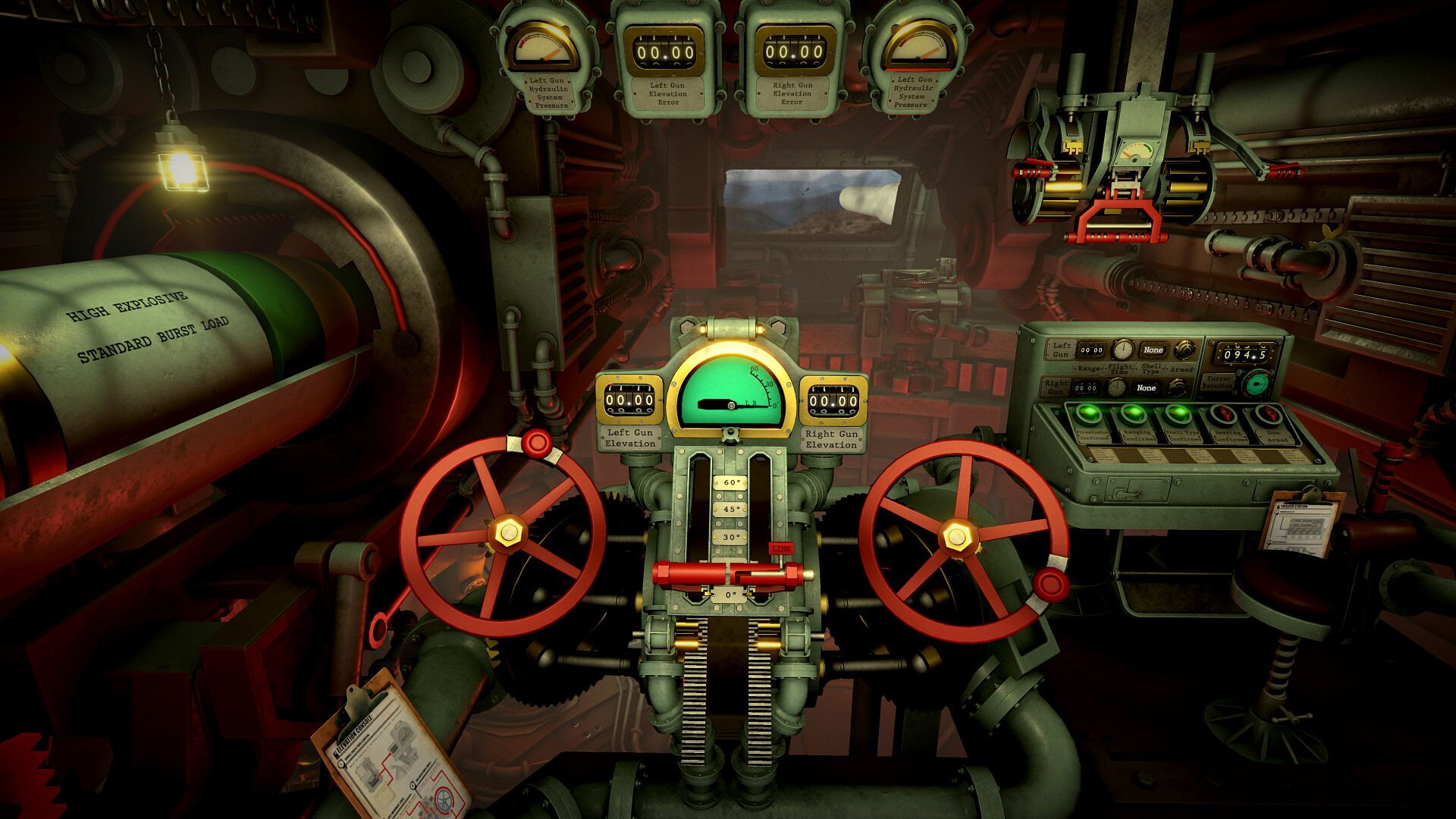
Answer: Read the teleprinter order and note it, measure the target on the map, use the ballistic calculator, select and load ammunition with the required charges, set elevation and rotation, arm the gun and fire. Complete the objectives, dismiss the newspaper summary, then sleep to move on.
Read the operation, not just the target
Two teleprinters in the operator console have separate roles: one carries High Command directives and the other carries frontline calls. The developer describes turning the message into a written battle plan in a notebook before touching the firing controls. Aerial photographs appear after an action and show the result on the battlefield.
From a map measurement to a firing solution
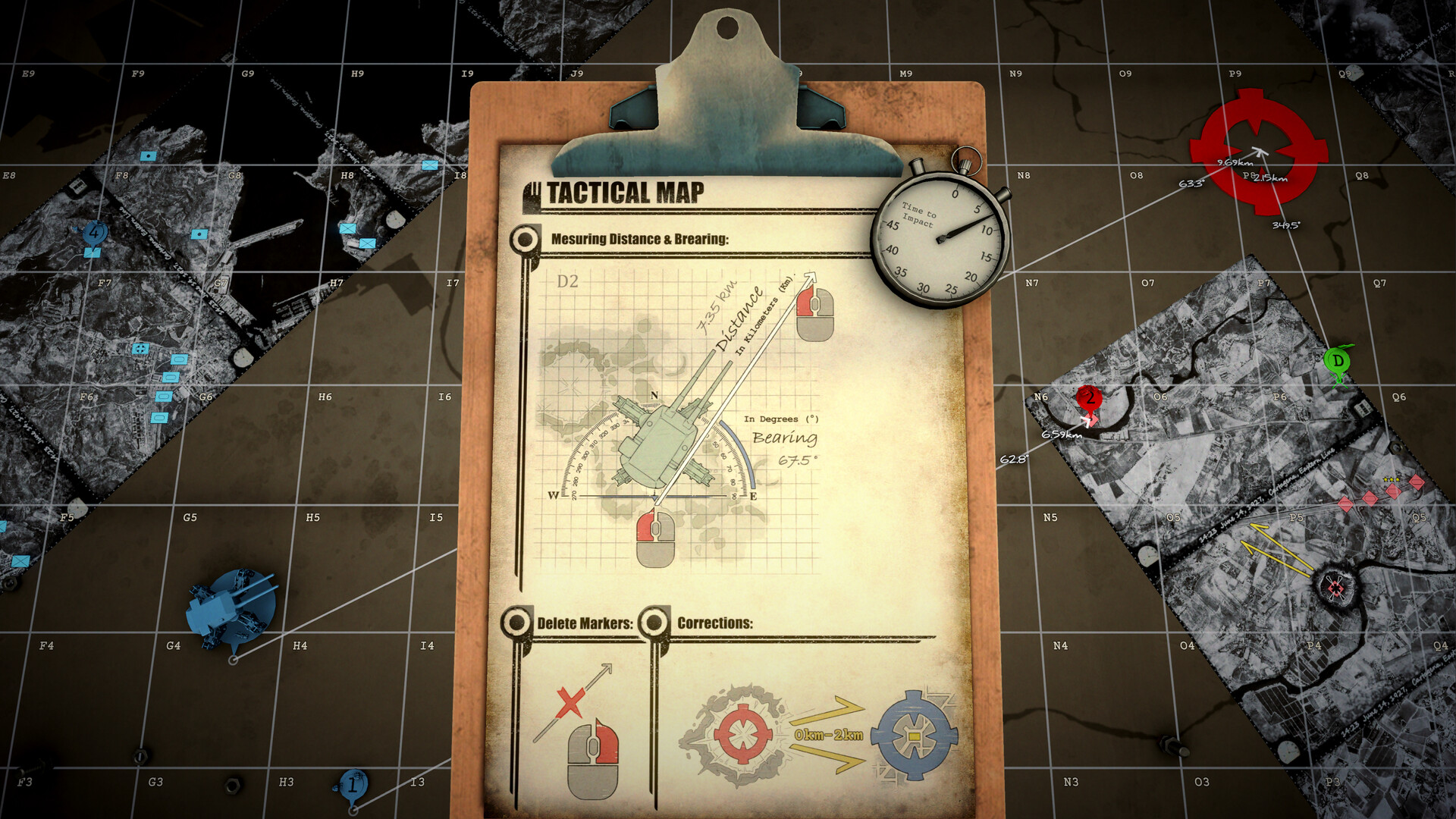
The tactical map is the planning surface: measure the target there before moving to the calculator. The official map illustration separates distance from bearing. Its drawn values are an example scene, not coordinates or a firing solution to reuse in your mission.
Calculate elevation and prepare the shot
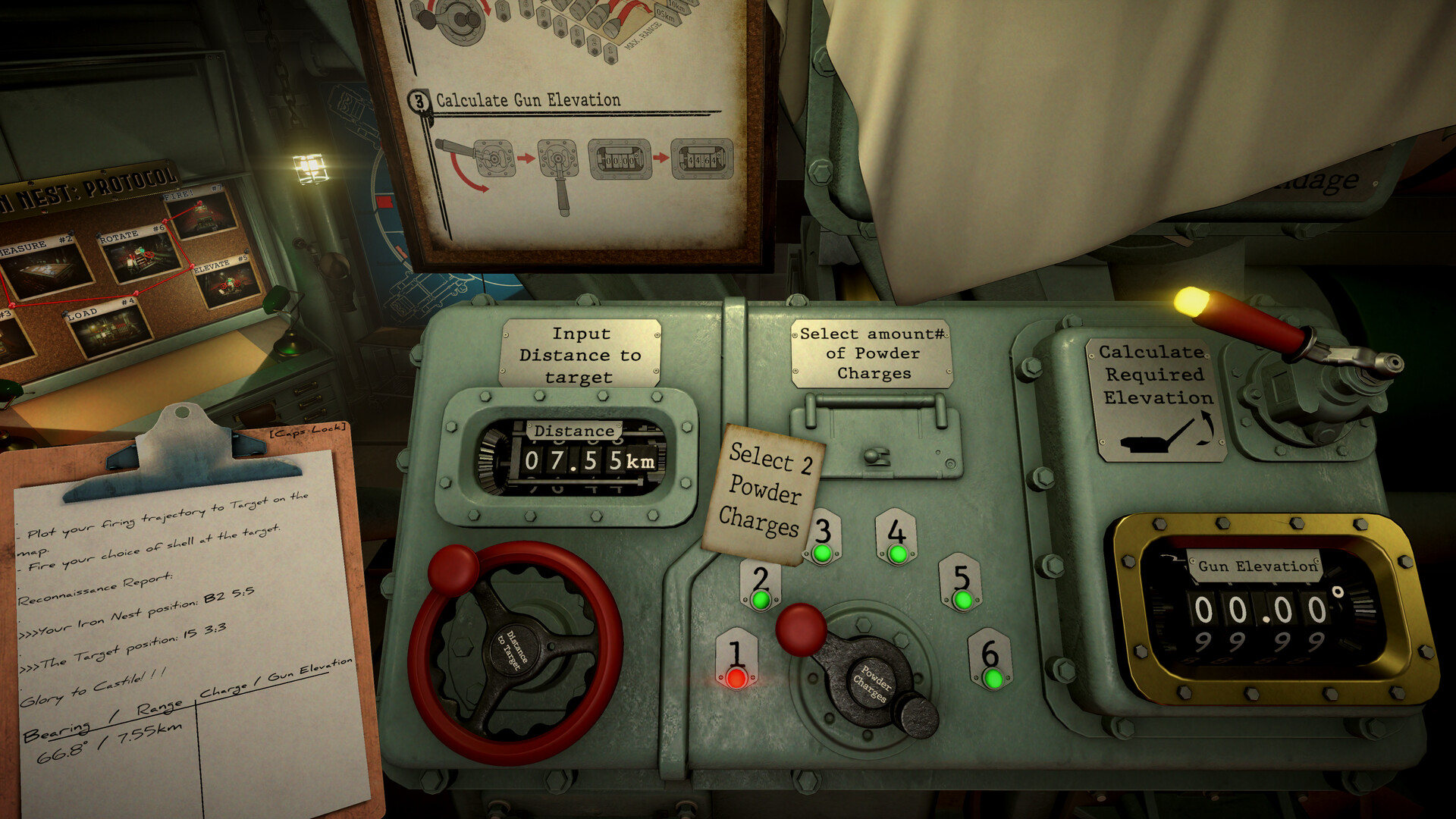
Transfer your own map measurement to the ballistic calculator and select the corresponding powder charges. The developer describes calculating elevation, then setting elevation and turret rotation separately. The official calculator illustration labels distance input, charge selection and required elevation; it does not provide a universal charge count or a tested solution for every target.
Follow the mission workflow
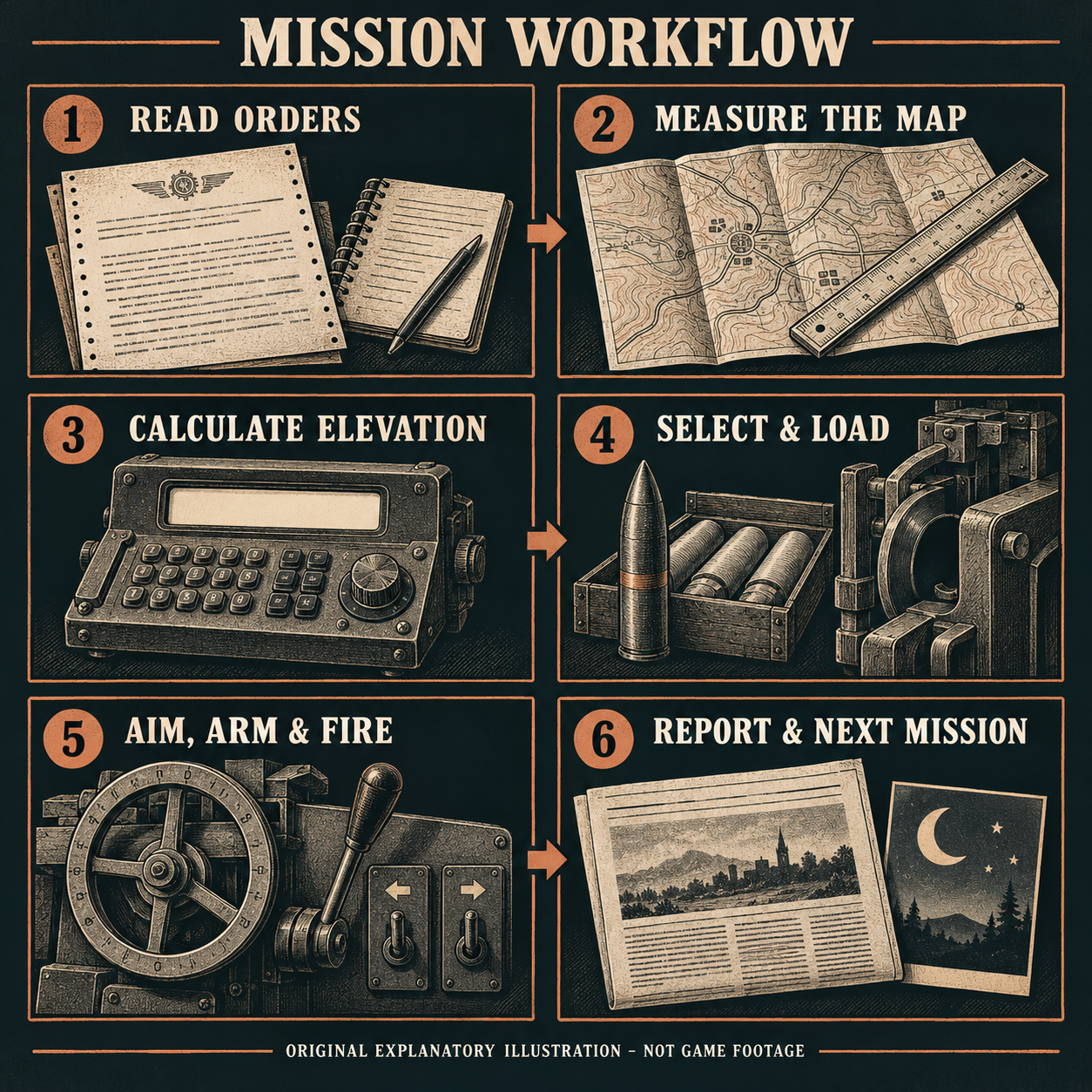
The developer FAQ gives this sequence. It is an official workflow, not an independent playtest or a verified list of key bindings.
- Read the incoming teleprinter order and write the important points in the notebook.
- Measure the target on the tactical map.
- Use the ballistic calculator to obtain the elevation.
- Select ammunition for the target and load its corresponding powder charges. Exact charge quantities are not supplied here.
- Set elevation and turret rotation with their controls.
- Arm the left gun, right gun or both as the situation requires, then fire.
- Continue until all objectives are complete; dismiss the newspaper summary, then sleep for the next assignment.
Ammunition, abilities and supplies
Official examples distinguish armor-piercing rounds for bunkers and smoke rounds for covering a withdrawal — an example role is not the same as a verified best shell for every target. Between missions, the Requisition Console lets the operator request additional ammunition, abilities and supplies. Additional rounds and abilities are unlockable through play.
Challenge mode, score and save rules
Challenge Mode keeps the highest score from completed runs; the score is only saved after the mission is finished and the newspaper summary has been dismissed. When two runs tie on score, the earlier run ranks higher. Chill mode uses a different rule — it ranks by cumulative confirmed kills across all completed runs.
Version boundary and what is not in this guide
The main game released as 1.0 in August 2026 with no Early Access. Patch 6 (1.0.1663) added saving on mission exit and continuing from save; Patch 7 (1.0.1683) fixed a load-save issue that blocked sleep, mid-reload save gun jamming, reduced log-file size and added GeForce NOW; Patch 8 (1.0.1705) added Guarding the Strait, fixed unintended requisition-credit resets on entering some missions, fixed a news typo, restored campaign map click-to-exit behaviour and corrected scoring. The demo is a separate Steam client. Multiplayer for IRON NEST remains a roadmap plan, not a feature verified as playable here. The developer's other standalone co-op game is a different project. This page does not list charge counts, range tables, first-mission button sequences, full mission solutions, optimal shell choices or the Gold ending — those still require actual play. The patch notes do not establish a save hotkey, save-menu label or protection against crashes and forced quits.
Was this answer useful?
Choose one. Your selection stays on this page and is only sent to Google Analytics if you have allowed analytics.
Sources & verification
- Official Steam store — features and system requirementschecked 2026-10-08 · US-English listing read directly; no independent playtest.
- Official promotional gallery contextchecked 2026-10-11 · Image context only; original answer-source dates remain unchanged.
- Developer FAQ — mission loop, Challenge and Chill ruleschecked 2026-10-14 · Developer-posted FAQ read directly; mission steps and scoring rules used as the basis for the new workflow H2.
- Patch 6 (1.0.1663) — save on mission exitchecked 2026-10-14 · Read directly; menu name, key binding and crash-safety details not disclosed.
- Patch 7 (1.0.1683) — load-save fixes and GeForce NOWchecked 2026-10-14 · Read directly; 1683 is the build named in the patch, not the current installed version.
- Patch 8 (1.0.1705) — Guarding the Strait and fixeschecked 2026-10-14 · Read directly; 1705 is the public patch name, not an installed build reference.
- Re-read official Steam overviewchecked 2026-10-14 · Manual mechanisms and ammunition roles re-read; no independent playtest.
Spotted an error? Submit a correction.