IRON NEST: Heavy Turret Simulator
Measure coordinates, calculate firing solutions and operate a dieselpunk artillery machine through physical controls.
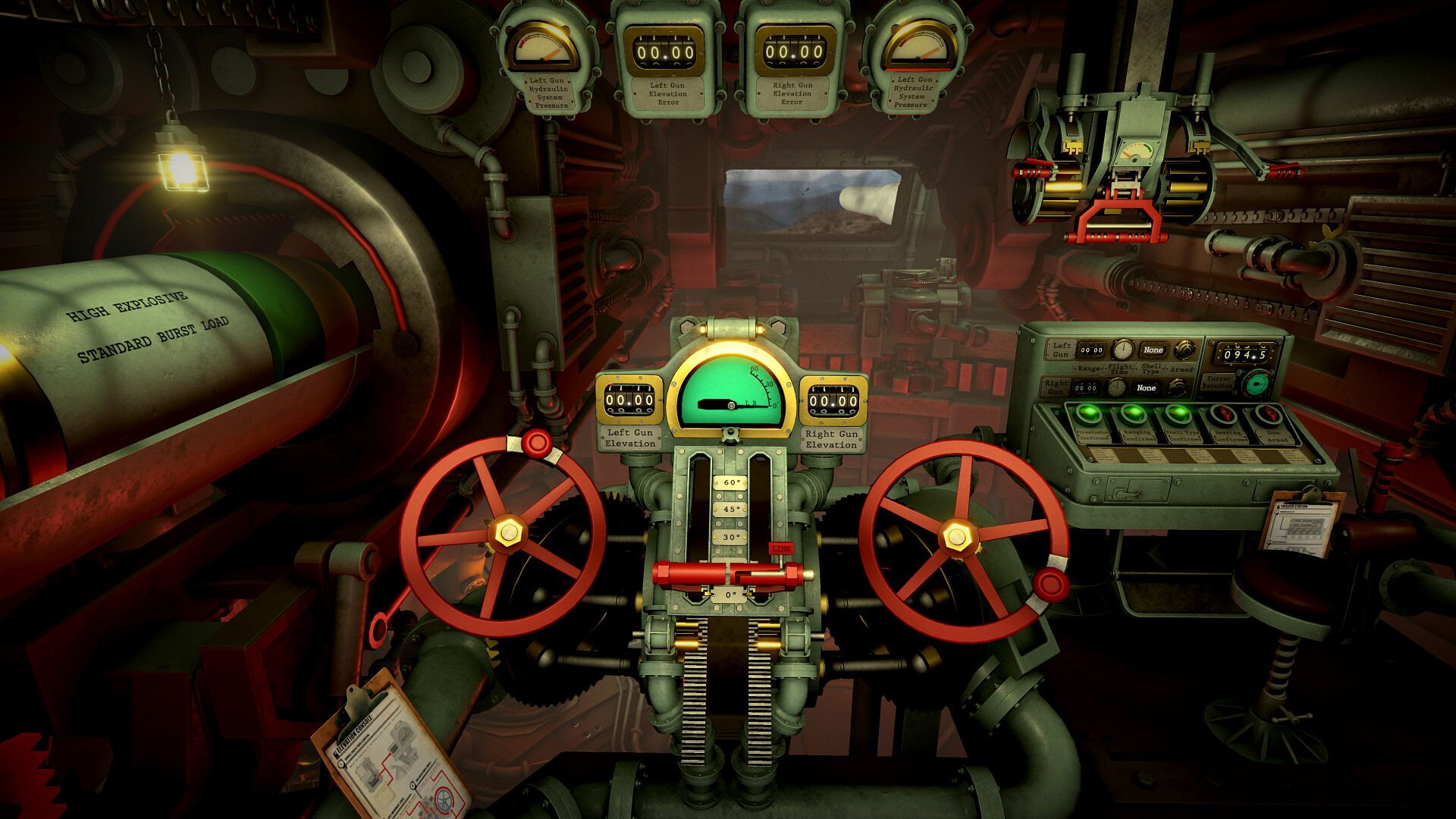
IRON NEST artillery systems: orders, maps and firing solutions
Practical steps from the developer FAQ
- Read the incoming teleprinter order and note key points in the notebook.
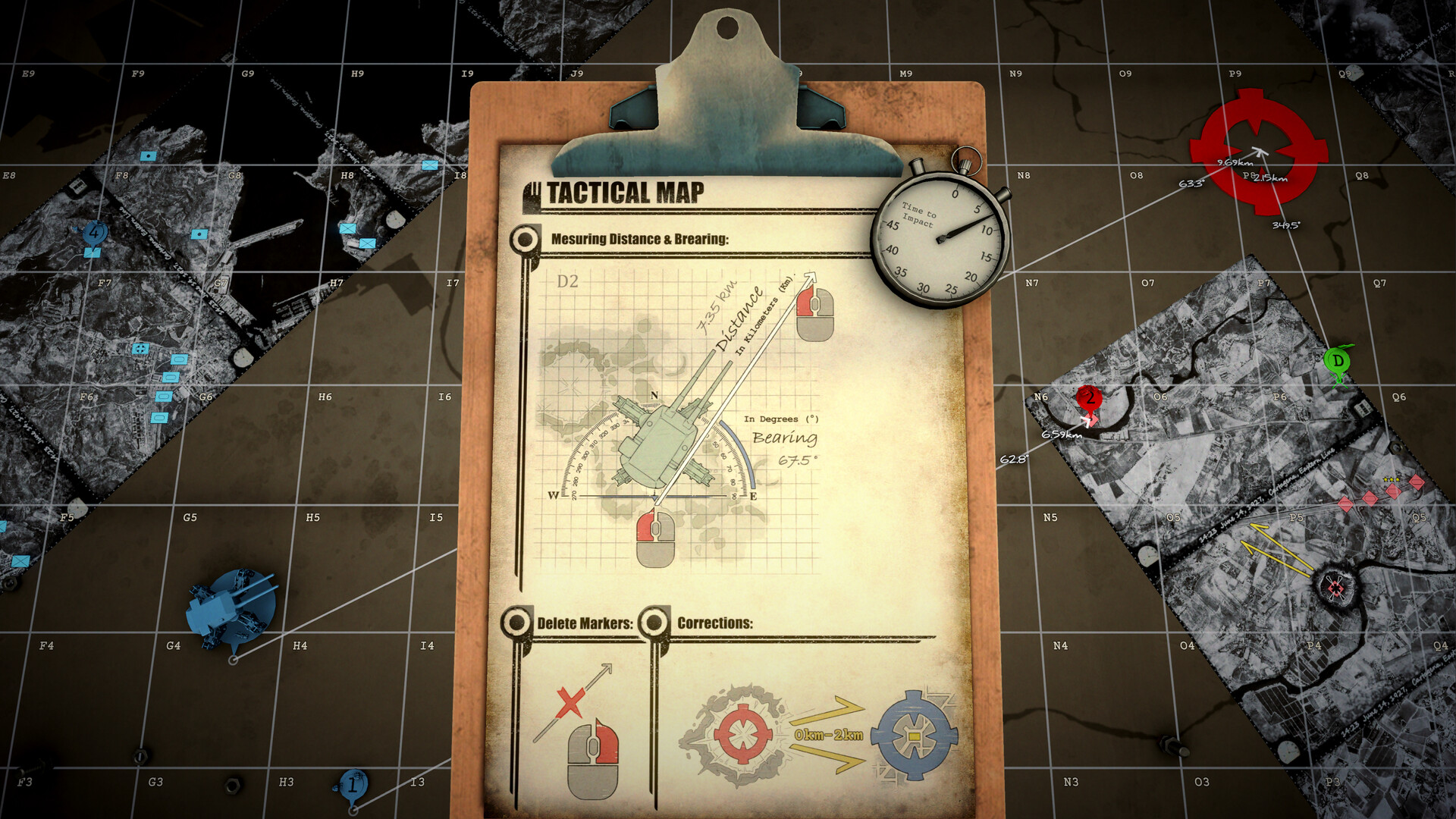
- Measure targets on the tactical map.
- Enter the ballistic calculator for elevation.
- Pick the correct ammunition for the target.
- Load the corresponding powder charges; this guide does not supply numeric charge values.
- Set elevation and turret rotation manually.
- Arm the left or right gun (or both) as the situation requires.
- Fire to complete all objectives.
- Dismiss the newspaper summary, then sleep to move to the next assignment.
The full version boundary, Challenge Mode rules and scope of what is not tested are in the linked artillery-systems article.
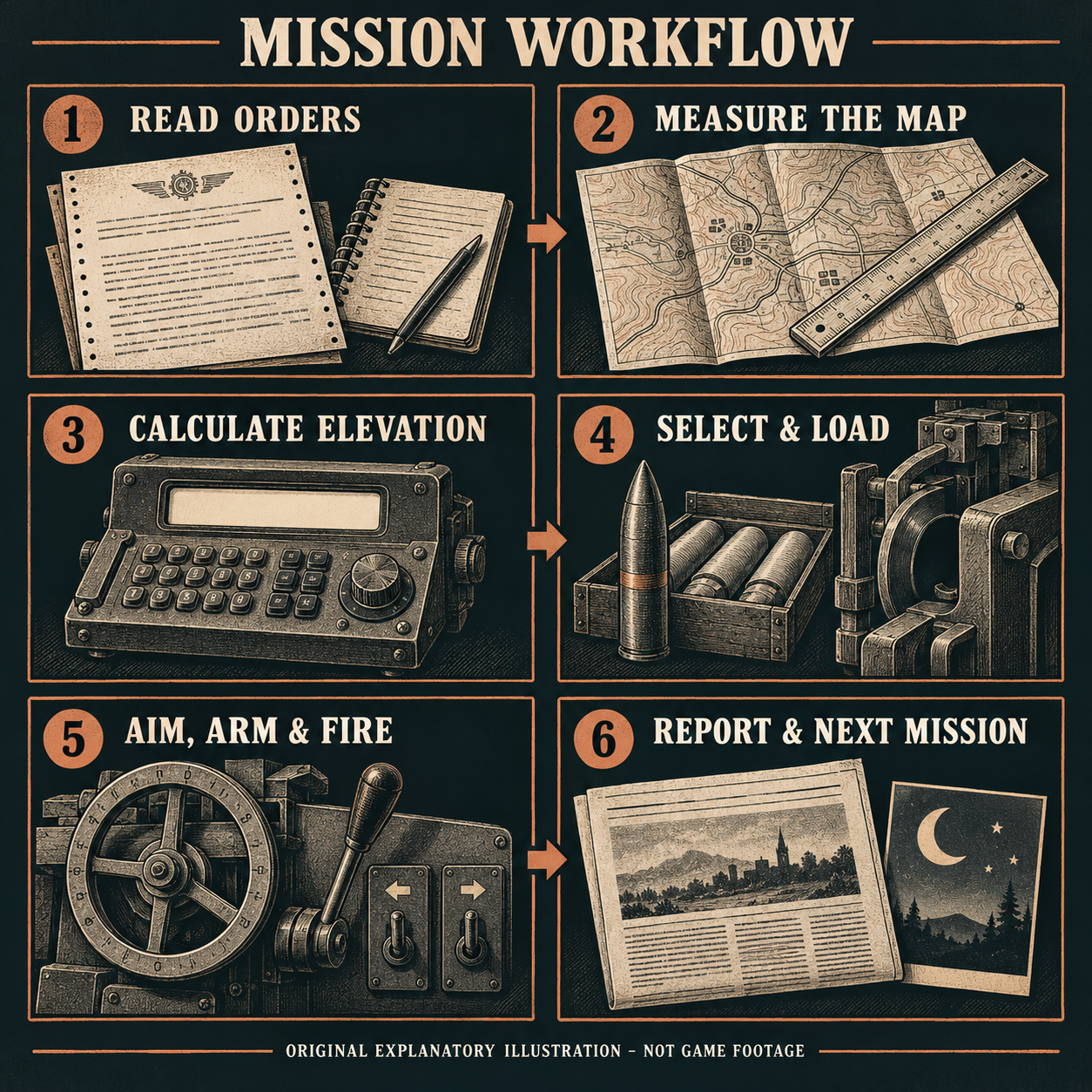
From teleprinter orders to a firing solution
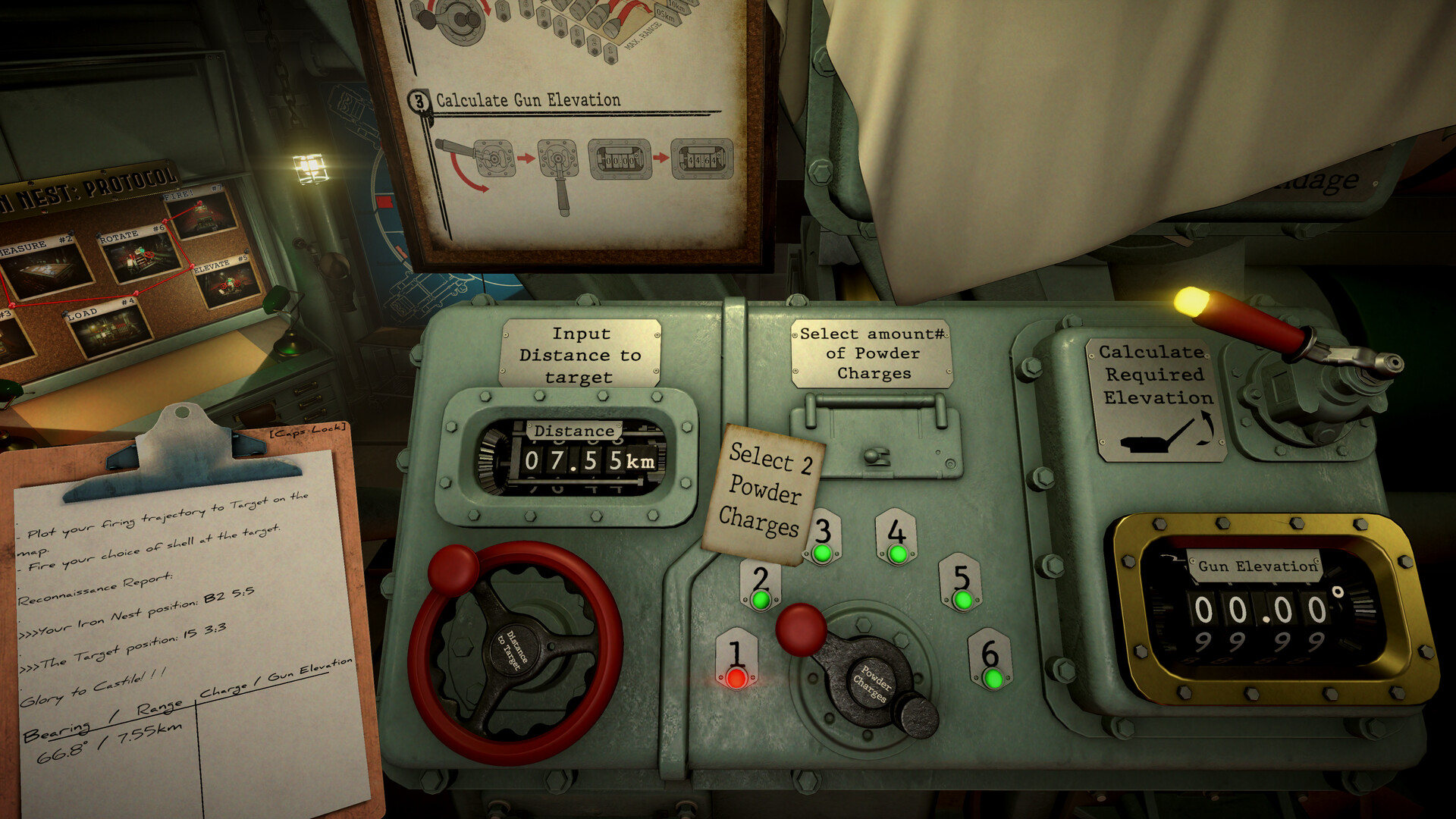
Two teleprinters convey High Command directives and frontline messages. An interactive map and aerial photograph support planning and feedback. Measurements feed a ballistic calculator; charge, elevation and turret movement are manually controlled.
Armor-piercing rounds for bunkers and smoke for covering withdrawals are example roles — they are not a verified best shell for every target. The Requisition Console requests additional ammunition, abilities and supplies between missions. Challenge Mode keeps the highest score only after the newspaper summary is dismissed; Chill mode ranks by cumulative confirmed kills.
Patch 6 (1.0.1663) added saving when exiting a mission and continuing from save. Patch 7 addressed save-related sleep and reload bugs. Public Patch 8 is named 1.0(1705); it adds Guarding the Strait. These notes do not specify a save hotkey or guarantee recovery from a crash. The publisher's gameplay trailer shows the firing solution end to end, and it is worth reading off the screen: a typewritten panel that reads "Underground targets require AP shells", "Iron Nest position is B2 5:5", "Alpha is Bearing 179 degrees from Spotter#1 = G6 9:1" and "Alpha is Distance 5.61km from Spotter#2 = E8 1:3"; a ballistics plotting table with range rings, a red own-position marker and yellow and white lines to the targets; a Calculated Power Charge readout; Left Gun Elevation and Right Gun Elevation dials; and a control desk with green Ammunition, Crew, Ignition and Air buttons. The numbers in the footage belong to that recording, not to a general rule.
Platforms, play modes and input
The current Steam record advertises Windows. This describes the Steam edition, not every storefront or console release.
Listed play and input features
- Single-player
- Full controller support
- Color Alternatives
- DualShock Controller Support
- DualSense Controller Support
The single-player classification is what is published on this Steam record. Multiplayer for IRON NEST remains a future roadmap plan, not confirmed playable here. The developer's other standalone co-op game is a different project. The badges above describe publisher-listed features and do not establish every crossplay pairing, controller binding or matchmaking rule.
Minimum Windows configuration
Publisher-listed minimum Windows requirements for the full game, read on 14 October 2026. These are specifications, not performance measurements by this site.
| Item | Published requirement |
|---|---|
| OS | 64-bit processor and operating system |
| Processor | Intel Core i5-4460 / AMD FX-8350 |
| Memory | 4 GB RAM |
| Graphics | Intel UHD / AMD Vega 8 |
| DirectX | Version 10 |
| Storage | 5 GB available space |
| Additional Notes | Minimum specs target an average of 30 FPS at 720p, low settings. A dedicated GPU is recommended for a smoother experience. Performance may vary significantly depending on system configuration and thermal conditions. |
Recommended Windows configuration
Publisher-listed recommended Windows requirements for the full game, read on 14 October 2026. These are specifications, not performance measurements by this site.
| Item | Published requirement |
|---|---|
| OS | 64-bit processor and operating system |
| Processor | Intel Core i5-8400 / AMD Ryzen 5 2600 |
| Memory | 8 GB RAM |
| Graphics | NVIDIA GTX 1060 6GB / AMD RX 580 8GB |
| DirectX | Version 10 |
| Storage | 5 GB available space |
Price, languages and hardware limits
Base price and what it is not
Base US price is $19.99. There is no multiplayer in the published badges — Single-player, Achievements, Steam Cloud and Family Sharing are the entitlements. Multiplayer for IRON NEST remains a future roadmap plan, not confirmed playable here. The developer's other standalone co-op game is a different project.
Languages actually ticked
The current US-English listing shows 16 interface languages ticked under Interface support, with the Audio and Subtitles columns appearing blank in the read. A blank cell does not confirm that the game has no audio; it shows only that the read did not capture a tick in those columns. Treat the language table on this page as the current US-English Steam table, with the full row list available on the store page itself.
Targets, not measured numbers
The minimum spec targets an average of 30 FPS at 720p on Low, and the publisher recommends a dedicated GPU for smoother play. Performance varies with system configuration and thermals. These are publisher figures — this site does not measure frame rate or guarantee stability on any specific machine.
Medal and counter-battery discrepancies: check build 1705
Patch 8 is named Version 1.0 (1705). Besides adding Guarding the Strait, it corrects several medal requirements that were too high, including some gold targets the developer described as impossible. It also stops shells fired before an emergency move from triggering the counter-battery timer, and excludes additional incendiary fires and PH's shots in mission 13 from accuracy and friendly-fire medal calculations. If you are comparing an older medal attempt with today's requirements, check the build before treating the old target or timer behavior as the intended rule. The note does not list every revised threshold or establish a guaranteed gold-medal strategy.
What the store lists today for IRON NEST
Re-read 21 October 2026: the listed US price is $19.99 with no active discount, the platform flags mark Windows only, and the listing names 16 interface languages including Simplified and Traditional Chinese, with no full-audio marker on the language string. The newest named patch is Patch #8 of 1 October 2026, which added the free Skirmish mission "Guarding the Strait" and lists its build as Version 1.0 (1705). The newest official post is not a patch either: "Dispatch #001: Community Items" on 13 October 2026 deployed new Steam Community Items — trading cards, badges and profile backgrounds. The listing also carries a separate free demo product.
What IRON NEST players are asking
These are real questions players asked in the game's own Steam discussions, re-checked against the thread on 21 October 2026. The thread link for each one is in this section's sources. Where the developer has published an answer it is linked; where they have not, the question is left open rather than guessed at.
- "this would make a killer experience for VR" — asked in the Steam thread VR on the road map?*; intent: informational.
- "it would be awesome for them to add vr capability" — asked in the Steam thread VR*; intent: informational.
- "The settings do not accommodate using Mouse1/Mouse2 for movement, in my case forwards and backwards, and the game is unplayable as a result." — asked in the Steam thread non-WASD users*; intent: informational.
- "Great game but 75 degrees FOV is criminally low, can't play more than 20 minutes before I get extreme motion sickness. Is there any way to increase..." — asked in the Steam thread FoV*; intent: informational.
- "so if you're rotating the nest itself to face straight towards your target for every shot, why would the bearing to target ever be anything other t..." — asked in the Steam thread What's the Point of "bearing to target" in the height calculator?*; intent: informational.
- "Just started the tutorial, the clipboard says that in order to find the target correctly I need to input bearing angles but this info is not given..." — asked in the Steam thread Help with tutorial please (Bearing angles)*; intent: informational.
- "How much repayable is there? Is there like an endless mode or something?" — asked in the Steam thread Question*; intent: informational.
- "Just wondering if the save in the demo will work in the main game before I put too much time in the demo." — asked in the Steam thread Does the demo save carry over?*; intent: informational.
- "i have 100!!!! How di i increase that?" — asked in the Steam thread Requisition Points for Skirmish Challenge*; intent: informational.
- "Plus it'd be nice to be able to share particularly crazy mission plotting with friends." — asked in the Steam thread Does anyone know if/where the post-mission map replay is saved?*; intent: informational.
- "I want more factors that matter, such as wind speed, weight of shell, the importance of weather, more maintenence and repairs, a more dynamic and c..." — asked in the Steam thread This game is too easy*; intent: informational.
We could not read a search-volume source for any of these, so this list shows that the questions were really asked, not how many people search them.
Answers before the deep dive
IRON NEST artillery systems: orders, maps and firing solutions
Read the teleprinter order and note it, measure the target on the map, use the ballistic calculator, select and load ammunition with the required charges, set elevation and rotation, arm the gun and fire. Complete the objectives, dismiss the newspaper summary, then sleep to move on.
Steam Windows · FAQ / Patch 8 1.0(1705) · checked 2026-10-14 · checked 2026-10-14Read the steps and evidence →IRON NEST demo and PC requirements
The full game's Steam page links an IRON NEST demo with appid 4300500. The main release is 1.0 single-player with no Early Access. Published PC requirements list 4 GB RAM at minimum and 8 GB recommended, with 5 GB storage in both tiers.
Steam US-English full-game listing · checked 2026-10-14 · checked 2026-10-14Read the steps and evidence →In this hub
Play, systems & progression
- IRON NEST artillery systems: orders, maps and firing solutions
How the operator console links teleprinter orders, map measurements, ammunition selection, charges and manual turret controls, with Challenge Mode score and save rules.
Steam Windows · FAQ / Patch 8 1.0(1705) · checked 2026-10-14
PC, platforms & installation
- IRON NEST demo and PC requirements
Where the demo is linked, how the main release is scoped as single-player 1.0, and how to read the published minimum and recommended hardware for the full game only.
Steam US-English full-game listing · checked 2026-10-14
Sources & verification
- Official Steam store — features and system requirementschecked 2026-10-08 · US-English listing read directly; no independent playtest.
- Steam game page and promotional gallerychecked 2026-10-11 · Official US-English listing and promotional media; not independent gameplay testing.
- Steam official game detailschecked 2026-10-11 · Public API read on this date; published features and Windows requirements.
- Steam — base $19.99, language table, publisher spec caveatchecked 2026-10-11 · Official source checked 11 October 2026. Details appear in the cited section. Published hardware targets are not independent benchmarks.
- Re-read US-English store — single-player features, languages and requirementschecked 2026-10-14 · Store features and 16 Interface ticks read directly; numbered release version and no-Early-Access history are supported separately by the developer FAQ and patch notes.
- Developer FAQ — mission loop, Challenge and Chill ruleschecked 2026-10-14 · Developer-posted FAQ read directly; mission loop and scoring rules used as basis for new hub step summary.
- Patch 6 (1.0.1663) — save on mission exitchecked 2026-10-14 · Read directly; referenced for version boundary only.
- Patch 7 (1.0.1683) — load-save fixes and GeForce NOWchecked 2026-10-14 · Read directly; 1683 is the build named in the patch.
- Patch 8 (1.0.1705) — Guarding the Strait and fixeschecked 2026-10-14 · Read directly; 1705 is the public patch name.
- Patch#8: New Skirmish Mission and Bug Fixes;1Oct L35–52checked 2026-10-20 · named patch changes
- Store data — price, platforms, languages and demochecked 2026-10-21 · Read 21 October 2026. $19.99 with no discount; Windows only; 16 interface languages with no full-audio marker; separate demo appid 4300500. Read once, not a build test.
- Official feed — Patch #8 build and the Steam Community Items dispatchchecked 2026-10-21 · Read 21 October 2026. Patch #8 (1 October 2026) adds the free Skirmish mission "Guarding the Strait" and lists Version 1.0 (1705); the 13 October 2026 dispatch deploys Steam Community Items.
- Steam thread: VR on the road map?checked 2026-10-21 · Re-read 21 Oct 2026. Original post asks: "this would make a killer experience for VR".
- Steam thread: VRchecked 2026-10-21 · Re-read 21 Oct 2026. Original post asks: "it would be awesome for them to add vr capability".
- Steam thread: non-WASD userschecked 2026-10-21 · Re-read 21 Oct 2026. Original post asks: "The settings do not accommodate using Mouse1/Mouse2 for movement, in my case forwards and backwards, and the g".
- Steam thread: FoVchecked 2026-10-21 · Re-read 21 Oct 2026. Original post asks: "Great game but 75 degrees FOV is criminally low, can't play more than 20 minutes before I get extreme motion s".
- Steam thread: What's the Point of "bearing to target" in the height calculchecked 2026-10-21 · Re-read 21 Oct 2026. Original post asks: "so if you're rotating the nest itself to face straight towards your target for every shot, why would the beari".
- Steam thread: Help with tutorial please (Bearing angles)checked 2026-10-21 · Re-read 21 Oct 2026. Original post asks: "Just started the tutorial, the clipboard says that in order to find the target correctly I need to input beari".
- Steam thread: Questionchecked 2026-10-21 · Re-read 21 Oct 2026. Original post asks: "How much repayable is there? Is there like an endless mode or something?".
- Steam thread: Does the demo save carry over?checked 2026-10-21 · Re-read 21 Oct 2026. Original post asks: "Just wondering if the save in the demo will work in the main game before I put too much time in the demo.".
- Official store trailer: Gameplay Trailer (movie id 257299409)checked 2026-10-22 · Official store trailer, movie id 257299409, published 2026-08-06; the published excerpt was read frame by frame on 2026-10-22 (audio not reviewed). Promo footage, no build stamp.
Spotted an error? Submit a correction.