Dressmaker: Making and Selling Dresses
Making and selling dresses, with Build 443 trim, camera and cutting controls; original store scope checked 14 October and patch notes re-read 19 October 2026.
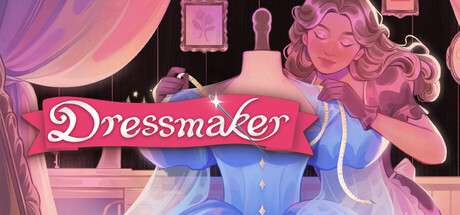
Answer: Choose fabric, plan in the sketchbook, cut, preview, sew and decorate. In Build 443, select a trim end node and click it again to extend; duplication preserves height, size and tilt. Use Ctrl+mousewheel for mannequin zoom and right-drag to pan. Keep client delivery, Sell as off-rack and sketchbook deletion separate.
The published workflow, in order
The Steam description read on 14 October 2026 gives this sequence: choose cotton, linen, wool, silk or velvet; plan the design and fabric samples in the sketchbook; lay out and cut the pattern; preview it on the mannequin; use the sewing machine; then add decorations. Client delivery and selling your own ready-made work are different outcomes.
The controls below come from the official October Build 443 notes, re-read on 19 October. They are developer instructions, not an in-game test of your installed build.
Finding other commissions in the sketchbook
Before cutting, check which commission you intend to work on. The patch notes explain two useful navigation actions:
- Turn through the sketchbook pages to see other open commissions.
- Click a component name to see the available choices for that component.
Read the brief on the page you reach before buying materials. This is a task check, not a fixed recipe or proof that a specific client will accept a design.
Trim selection, extension and duplication
In the mannequin scene, with a piece of trim available:
- Click a trim end node to select it.
- Click that end node again to extend the trim.
- Use the new trim-duplication button when you want another piece with the same height, size and tilt.
The notes say selection persists after placement. They do not describe a universal highlight, a required cursor colour, or a failure diagnosis when a click does not work. The retained height, size and tilt are specifically the duplication behaviour—not a separate guarantee about extension.
Compare the selected trim's settings before making another piece. This feature concerns trim, not a documented way to copy a whole finished dress. Sleeve-cuff placement remains an area the developer says it is improving; do not assume every awkward edge was solved.
Mannequin camera zoom and pan
For the mannequin scene's announced mouse controls:
- Hold Ctrl while rolling the mousewheel to zoom smoothly.
- Hold the right mouse button and drag to pan.
The same patch adds keyboard orbit controls without naming the keys in the text read here. Use the current scene's displayed hints rather than treating older Z-key zoom advice as the Build 443 instructions. These notes do not establish trackpad gestures, a Steam Deck layout, or complete controller support. If your controls differ, record the scene and installed version rather than assuming a save is broken.
Cutting: discard fabric and grab all panel pieces
The two actions serve different purposes:
- To discard cloth, first use the explicit discard-fabric button. The patch changes the scissors so an ordinary misclick is not enough to start that discard action.
- To gather cut pieces, use the new button for collecting all panel pieces.
Before discarding, decide whether you still need the fabric or cut pieces for the active design. After collecting, inspect the pieces you actually have; the notes do not specify an inventory count, a mandatory animation, or a repair for stuck grey pieces. They also do not document recovery or refunds for already discarded cloth.
Two ways to part with a finished garment
Choose the action that matches your task:
| Your intention | Source-backed distinction |
|---|---|
| Hand over a customer's dress | Client delivery is the store-described route associated with reputation and coins. |
| Sell your own finished work | The photo scene's sale action is labelled Sell as off-rack in Build 443. |
| Remove an unwanted off-rack design | The patch adds a separate deletion button in the sketchbook. |
Selling, delivering and deleting are not interchangeable. Check the selected design and the action shown before confirming. Deleting an off-rack design is not a sale or a way to complete a customer commission. No exact price, profit formula, unlock count or deletion-recovery method is established by the sources used here.
Re-checking designs made before Build443
The developer warns of two changes that can affect older work:
- Small components now contribute more to colour and fabric-type scoring; old dresses may show different scores.
- Corrections to some trims' default tilt can change how previously adjusted trim sits.
When returning to an older design, compare its current requirement display and trim appearance before changing materials. These are possible explanations, not a diagnosis of every red score or misplaced accessory. The notes give no exact weights or universal quality pass mark. A number in one player's commission report is not a requirement for all customers.
Source-confirmed limits
The original Steam store source was read on 14 October 2026. The October Build 443 announcement was read separately on 19 October and displays 14 Oct as its publication date. This update adds only the controls and change boundaries described above; it does not re-verify the older Windows requirements, feature badges or every store fact.
No game session, current-build UI test or complete tutorial video was recorded for this answer. Individual commission solutions, exact scoring thresholds, controller mappings and installed builds still require their own evidence.
Thread colour, panel hints and the next customer
The September 24 Build 410 notes give two small but useful sewing checks: click the spools in the sewing scene to change thread colour, and hover over a panel in inventory to see a hint for where it belongs on the mannequin. The September 22 Build 403 notes also make ringing the bell the way to summon the next customer.
These details complement, rather than replace, the newer Build 443 camera controls above. An older Sewing help thread contains reports that dragging and restarting did not solve a stuck mannequin, so those community suggestions should not be advertised as a guaranteed fix.
Build 443 changes the dress-selling label to Sell as off-rack. It also adds Discard in the fabric inventory. Neither note documents a fabric buyback or refund: selling a completed dress and discarding fabric are different actions.
Was this answer useful?
Choose one. Your selection stays on this page and is only sent to Google Analytics if you have allowed analytics.
Sources & verification
- Steam US-English — fabric, workflow, selling and Windows requirementschecked 2026-10-14 · Official store/EA description read 14 October 2026; explains only the stated workflow or feature. No independent playtest or complete walkthrough.
- October Patch Notes - Build443 / controls, cutting and off-rack workflowchecked 2026-10-19 · Official announcement displays 14 Oct; re-read 19 October 2026. Keyboard-and-mouse patch notes, not a hands-on test or confirmation of every installed build.
- Build410 L166–180;Build403 L194–211;Build443 L88–105checked 2026-10-20 · Thread colour, panel hints and the next customer. Named-version passage checked; not independently playtested.
- OP L25–27;#4 L74–78;#7 L108–112;8/8评论全文实读checked 2026-10-20 · Thread colour, panel hints and the next customer. Named-version passage checked; not independently playtested.
Spotted an error? Submit a correction.