Big Walk player count, co-op and communication
Host or join a 2–12-player session with a fresh Join Code each time, keep the host's save, match the first two version segments, and use text chat or accessibility options.

Answer: Big Walk supports 2–12 players. The host starts first and saves progress. Join via same-platform friend list or a Join Code; Mac App Store uses Join Codes. Each session gets a fresh Join Code in host-menu corner or Session Details. Version history: passwords from 1.4.9, letter-and-number codes from 1.6.0; first two version segments must match.
Cover: official promotional image, not a frame from this video. The publisher-hosted video connects only after you load it. Press Play to start; the original source link remains available.
Plan your group
The official FAQ confirms a minimum of two players and a maximum of twelve in the group total — not twelve friends plus a host. The host picks a 2-player, 3-player, or 4+ world when starting each session; the 4+ world changes some challenges and is not a higher player cap. There is no solo mode, no matchmaking and no random pairing.
Big Walk gameplay overview — June 2025
An official 2025 gameplay overview shows the cooperative world and communication tools. The current 2–12-player limit and hosting steps come from the developer FAQ, not from counting characters in this older promotion.
Watch original publisher video
June 2025 promotional overview. Only sampled visuals were reviewed on 18 October 2026; not a complete walkthrough, current control demonstration, audio review or current-build playtest.
How communication works
The host starts the session first; other players join afterwards. The official unable-to-join FAQ says to first confirm the host is currently running the game and their character has loaded into the world. The host's machine automatically saves the group's progress, so the host is the save keeper. When the host ends the session, everyone disconnects; the next session must use the same host to continue.
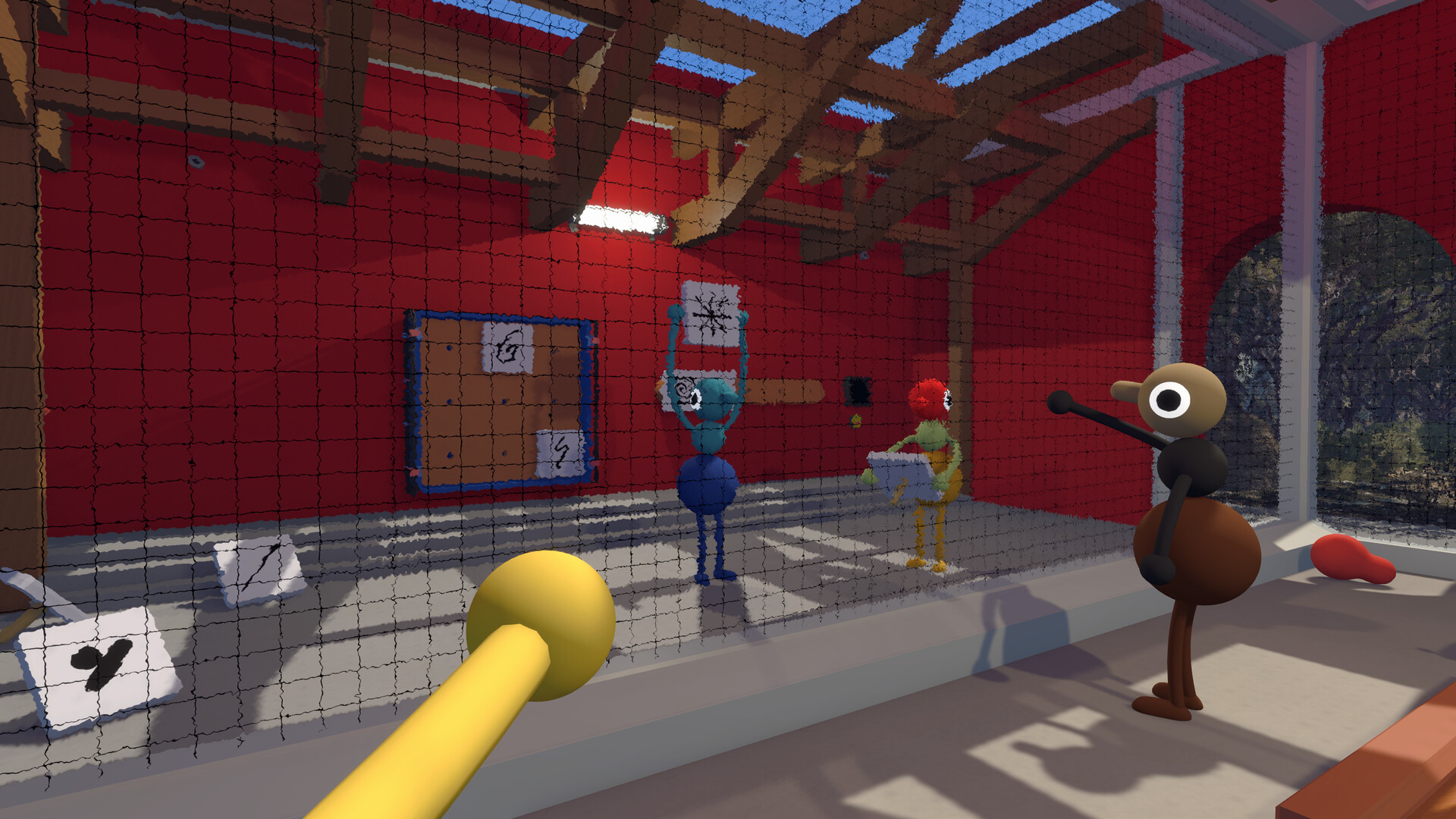
In-game voice uses proximity: voices fade over distance, echo in corridors and become muffled through walls. Text chat follows the same distance, muting and soundproof-room restrictions as voice, including walkie-talkies. The FAQ says the entire game can be played without voice. When speech is unavailable, characters can point, wave and gesture. Tools listed in the official description include binoculars, laser pointers, megaphones, flares, whiteboards and cowbells.

Cross-platform boundaries
Big Walk is available on PC (Steam), Mac (Steam and Mac App Store), PlayStation 5 and Nintendo Switch 2. The developer confirms cross-platform play; we have not independently tested specific platform pairings. Mac App Store users cannot use Game Center and must join via a Join Code.
Before playing
Joining a same-platform friend's host session appears in the active friend games menu. Otherwise the host gets a new short Join Code for each session and shares it with the joiner.
Find the Join Code in the host menu corner before the session starts, or in the in-game menu under Session Details once the session is running.
The version history says Session Passwords have been required at session start since 1.4.9. Its explicit requirement is newer than the FAQ's recommendation to use a password. Version compatibility uses the first 2 segments of the version number: the first two must match between host and joiner, while the third can differ. The example 1.2.3 in the FAQ illustrates this rule, not a current installed build. Join Codes use both letters and numbers since 1.6.0.
Mouse and keyboard and most controllers are supported; Switch 2 mouse mode is supported. Rebinding is in Settings > Rebinding.
Accessibility options include crosshair styles, Hold/Toggle for some actions, FOV (PC and Mac only, under Settings > Graphics), Motion Reduction Overlays (under Settings > General) and text chat. The official motion-sickness guide notes these options may help reduce discomfort but does not guarantee relief, and its FOV guidance is limited to PC and Mac rather than the console versions. Challenge skipping is enabled by the host in the accessibility menu when starting the session.
Cannot join? Check the running session
If the joiner is stuck, the FAQ's "can't join or host" path starts with three checks. The host must have loaded into the world — their character standing in the open world, not still on the host menu — and any bottom-left connection warning usually names the actual blocker. Use a fresh Join Code from this session: the host finds it in the host-menu corner before launch, or in Session Details after the world loads. Version numbers must match in the first two segments; the FAQ example 1.2.3 illustrates the rule, and the third segment may differ. If joining still fails, both players fully quit and relaunch. A wrong system clock can break matchmaking, so verify it before deeper troubleshooting. If these checks do not resolve it, follow the official FAQ’s Epic Online Services connection checks; this site does not give router, proxy or firewall reset commands.
Microphone not working? Check the input first
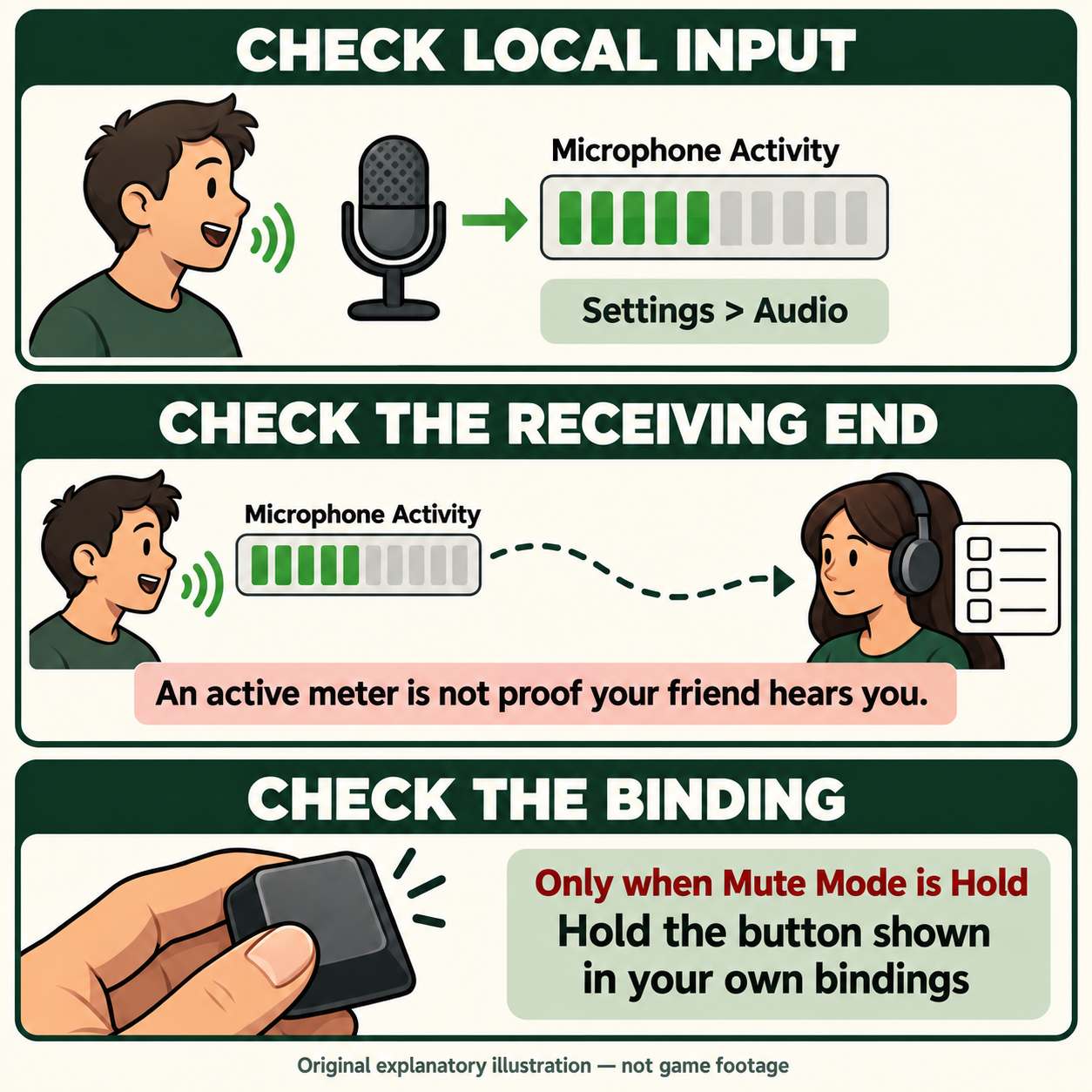
If nobody hears you in a session, start at your own input before touching anything else. Open Settings > Audio and watch the Microphone Activity meter while you talk; if it moves, the game is picking up something. That meter is a local input check only. It does not confirm that another player received your voice, so verify from the receiving end in a session where the distance and muting rules described above actually let you hear each other, rather than treating an active meter as a working call.
If the meter never moves, the FAQ says to check whether your microphone works in other applications, check the connection itself, and check mute switches on the device. When Mute Mode is set to hold, you must keep the currently bound button held while you talk. The FAQ does not publish a default mute key, so read your own binding under Settings > Rebinding instead of assuming one. Whether you have been silenced by player moderation inside a session is a separate check from the input meter, and we do not claim one always settles the other.
Windows 11 Bluetooth headset branch
This branch is for one condition only: Windows 11 with a Bluetooth headset. Open the volume mixer from the taskbar, launch Big Walk, switch back to the mixer, and expand the Big Walk app row. Input and output should both be set to the same headset device. This is not a rule for every platform or every device, and we have not confirmed it on our own hardware.
XLR audio interfaces
Some audio interfaces route the microphone to Channel 2, while Big Walk receives microphone input on Channel 1 only. If your interface already ships a routing tool, check whether that tool can reassign or merge the channels onto Channel 1. We cannot say which interfaces allow this, and we are not asking you to install anything extra to make it work.
Echo and version notes
The FAQ describes muting players one at a time to work out who is echoing; we have not reproduced that ourselves. Keep in mind that the FAQ still calls 1.4.8 the latest version, which is out of date against a version history whose top entry is 1.6.0. The 1.6.0 entry adds Echo Cancellation on Windows and Mac. That Echo Cancellation note publishes no settings path, no default state and no promise that echo is fixed; it does not mean every install has moved to 1.6.0.
Verification scope
Big Walk has no matchmaking and no random matching; the FAQ recommends playing multiple sessions with the same group. We have not tested connectivity, microphone configuration, invite flows or controller pairings. We do not promise a fix for networking issues and do not confirm that every install is on version 1.6.0.
Control who joins: password and moderation
The Players choice configures the challenges; it is not a limit on how many people may enter the session. To remove or manage someone already in the game, open the in-game menu, choose Session Details, then Moderation Settings. The official FAQ also recommends considering a session-password change after removing a player.
For access control, use the password rather than assuming a 2-player world blocks additional joins. Your game can appear to friends of other participants, and a person with the Join Code can join unless access is protected. Avoid exposing the code or password while streaming.
Was this answer useful?
Choose one. Your selection stays on this page and is only sent to Google Analytics if you have allowed analytics.
Sources & verification
- Steam — features and Windows/macOS requirementschecked 2026-10-08 · Official US-English store listing; no independent playtest.
- Official promotional gallery contextchecked 2026-10-11 · Image context only; original answer-source dates remain unchanged.
- Official FAQ — player count, host save, Join Code, passwordchecked 2026-10-14 · FAQ read 14 October 2026: group total, host save, joining, input and accessibility. Password requirement/code format use separate version history; older FAQ password advice differs.
- Official version history — Session Passwords and Join Code formatchecked 2026-10-14 · Version history read 14 October 2026. Top entry 1.6.0 adds letters and numbers to Join Codes; 1.4.9 makes Session Passwords required. Not every install confirmed at this version.
- Official FAQ re-read — can't connect/join, version and Join Code flowchecked 2026-10-17 · FAQ reread October 17: loaded host, fresh Join Code, matching first two version segments, relaunch and clock checks. Separate version-history claims retain their October 14 scope.
- Official press kit — June 2025 gameplay overviewchecked 2026-10-18 · Developer press kit links the publisher-hosted June 2025 overview. Used for cooperative visual context only; not a current-build tutorial, player-limit proof or full-film review.
- Official publisher-hosted gameplay overview — June 2025checked 2026-10-18 · Original publisher MP4, duration observed 230.833333 seconds; only sampled visuals reviewed, no full-film or audio verification. No download or rehosting.
- Official FAQ — microphone input, Win11 mixer, XLR channelchecked 2026-10-19 · Audio read: Microphone Activity input check, Mute Mode hold, Windows 11 volume mixer branch, XLR Channel 1. No default mute key given; no device reproduced.
- Official version history — 1.6.0 Echo Cancellation entrychecked 2026-10-19 · Top entry 1.6.0 adds Echo Cancellation on Windows and Mac; its note gives no settings path, default or fix guarantee. FAQ’s 1.4.8 latest wording is stale.
- Players L56–61;Who can join L88–99checked 2026-10-20 · Control who joins: password and moderation. Named-version passage checked; not independently playtested.
Spotted an error? Submit a correction.